
Zapier, Make, or n8n? Choose the Right Automation Tool Before You Waste Weeks
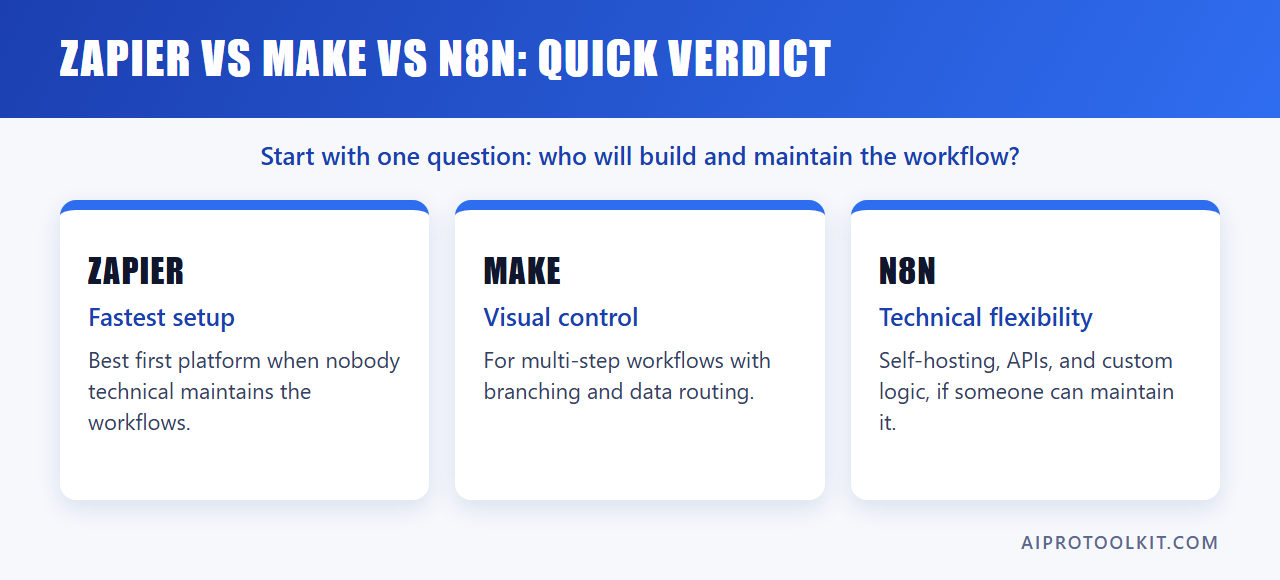
Quick verdict: if you want the fastest small-business automation setup, start with Zapier. If you need visual control over multi-step workflows, choose Make. If you have technical confidence, want self-hosting, or need deep customization, consider n8n.
This guide is part of our AI Automation for Small Business series.
That is the simple answer. The more useful answer is this: do not choose an automation tool because it has the longest feature list. Choose the tool that your team can maintain after the first week.
For most small businesses comparing Zapier vs Make vs n8n, the real decision is not “which platform is most powerful?” It is “which platform will we still be using correctly in 90 days?”
At AIProToolkit, we judge automation tools by workflow outcomes, not feature counts. Before adopting any platform, use a small measurement test: time the manual workflow five times, automate it, then time the automated workflow five times including review and error correction. If the tool does not reduce time, reduce errors, or make the process easier to operate, it has not earned its place in the stack.
Quick Verdict: Zapier vs Make vs n8n
| Platform | Best For | Main Strength | Main Risk | Best Small-Business Fit |
|---|---|---|---|---|
| Zapier | Beginners, consultants, agencies, general business users | Fastest setup and broad app coverage | Can become expensive or limiting as workflows get complex | Lead capture, email alerts, CRM updates, simple AI actions |
| Make | Visual builders, ops teams, marketers with structured workflows | More control over branching, data movement, and scenario logic | Steeper learning curve than Zapier | Multi-step reporting, content operations, data routing, visual workflows |
| n8n | Technical operators, developers, advanced automation teams | Customization, flexibility, and self-hosting options | Too technical for many beginners | API-heavy workflows, internal tools, advanced AI agents, custom integrations |
If you are choosing the best automation tool for small business and you have no dedicated technical operator, Zapier is usually the safest first platform. If you already understand data fields, conditional routing, and workflow mapping, Make gives you more control. If your workflows depend on APIs, code, self-hosting, or custom logic, n8n becomes more attractive.
The Operator’s Rule: Start With the Workflow, Not the Tool
Most automation failures start before anyone opens Zapier, Make, or n8n. The business picks a platform first, then searches for things to automate. That creates automation creep: disconnected zaps, scenarios, and workflows that save a few clicks but add maintenance work.
It’s a common observation among automation consultants that workflows fail when businesses automate isolated tasks without workflow consistency. That matches what operators see in practice. A trigger here, a Slack alert there, a spreadsheet update somewhere else — none of it becomes a reliable operating system unless the underlying workflow is stable.
Before comparing platforms, write down one workflow in plain English:
- What starts the workflow?
- What information enters the process?
- Who reviews or approves the output?
- Where does the final result need to go?
- What error would cost money, time, or trust?
Then measure the current manual process. Do not guess. Run it five times and record the time. If the task takes 11 minutes, 13 minutes, 10 minutes, 12 minutes, and 14 minutes, your working baseline is 12 minutes per run. Only then should you test automation.
This matters because a cheap tool that your team uses correctly can outperform an expensive one with poor adoption. A £5k system without training can underperform a £500 setup that is understood, maintained, and actually used.
Zapier: Best for Fast Small-Business Adoption
Zapier is the easiest recommendation for a small business that wants to automate common tasks without becoming an automation specialist. It has broad app coverage, a beginner-friendly interface, and a strong library of prebuilt connections.
For many small businesses, the first useful automation is simple:
- A website form submission creates a CRM lead.
- A new Stripe payment sends a customer email.
- A booked consultation creates a calendar event and Slack alert.
- A new Google Sheet row drafts a follow-up task.
- A new support message creates a ticket and tags the right person.
Zapier is strong here because the operator does not need to understand APIs, JSON, webhooks, or server hosting. The workflow can usually be described in plain language: “When this happens, do that.”
Where Zapier Works Best
- Beginner automation: Zapier is easier to understand than Make or n8n for first-time users.
- Common business apps: It connects well with CRMs, email tools, forms, spreadsheets, project management tools, and payment platforms.
- Simple AI workflows: Zapier AI Actions and AI-assisted setup can help non-technical users build automations faster.
- Low-maintenance workflows: For straightforward “trigger then action” automations, it is usually enough.
Where Zapier Can Become the Wrong Tool
Zapier can become expensive or awkward when workflows move beyond simple sequences. If you need advanced branching, looping, complex data transformation, or deep inspection of how information moves through the workflow, Make or n8n may be better.
Zapier is not weak because it is simple. Its simplicity is the product. The mistake is expecting it to behave like a developer-grade automation engine once the workflow becomes complex.
Make: Best for Visual Control and Multi-Step Workflows
Make is a better fit when you want to see the whole workflow as a visual map. It gives you more control over routing, modules, filters, and data movement than most beginner-focused automation tools.
For operators who think in flowcharts, Make feels more transparent. You can see the path a record takes. You can inspect bundles of data. You can build branches for different conditions.
This makes Make useful for workflows such as:
- Collecting leads from multiple sources and routing them by deal size.
- Turning form responses into draft documents, review tasks, and CRM notes.
- Creating weekly client reports from spreadsheets, analytics tools, and project trackers.
- Building content operations that move ideas through drafting, review, approval, and publishing.
- Using the Make AI module inside structured workflows where AI output needs to be routed or reviewed.
Where Make Beats Zapier
In a Zapier vs Make for small business comparison, Make becomes stronger when the business has a slightly more mature workflow. If the process has multiple branches, repeated steps, or data that needs cleaning before it reaches the next app, Make usually gives you better control.
Example: if every new lead should be handled the same way, Zapier is fine. If enterprise leads go to one pipeline, local leads go to another, incomplete leads need enrichment, and partner leads need a different email sequence, Make is more comfortable.
Where Make Can Slow Beginners Down
Make is not as plain-English as Zapier. Beginners can build in it, but they need more patience. The visual interface is helpful once you understand what you are looking at. Until then, modules, routers, filters, and data mapping can feel abstract.
If your team does not have one person willing to own the automation map, Make can become a half-built operations board. That is not a tool failure. It is an adoption failure.
n8n: Best for Technical Flexibility and Custom Workflows
n8n is the strongest option when you want flexibility, control, and technical depth. It is also the easiest of the three to over-choose too early.
In the n8n vs Zapier for beginners debate, Zapier usually wins for non-technical users. n8n is not impossible for beginners, but it assumes more comfort with technical concepts. If your team struggles with API keys, request bodies, credentials, webhook URLs, and data structures, n8n will feel heavier than Zapier or Make.
That said, n8n makes sense when your business has workflows that off-the-shelf connectors cannot handle cleanly.
Where n8n Makes Sense
- You need custom API calls that are not supported well in Zapier or Make.
- You want self-hosting or more control over where workflow data runs.
- You have a technical operator who can maintain workflows.
- You are building internal tools rather than simple app-to-app automations.
- You need advanced AI workflows with custom prompts, memory, tools, and conditional logic.
Where n8n Is Too Much
n8n is often too much if the workflow is simple. A freelancer sending form leads into a CRM does not need to manage technical infrastructure. A small agency that only needs new client onboarding emails does not need a self-hosted automation stack.
The cost of n8n is not only the subscription or hosting bill. It is the time required to understand, document, debug, and maintain the workflow. If only one technical person understands the system, the business has created a dependency risk.
Ease of Use Comparison
| Decision Factor | Zapier | Make | n8n |
|---|---|---|---|
| Beginner friendliness | Highest | Medium | Lowest |
| Plain-English setup | Strong | Moderate | Limited for non-technical users |
| Workflow visibility | Good for simple flows | Strong visual mapping | Strong but more technical |
| Control over complex logic | Moderate | Strong | Very strong |
| Maintenance burden | Lowest for simple workflows | Medium | Highest unless you have technical ownership |
If you want plain English automation in 2026, Zapier is the clearest first choice. If you want a visual system that shows how data moves, Make is stronger. If you want maximum control and can handle technical maintenance, n8n is the flexible option.
AI Features: Zapier AI Actions, Make AI Module, and n8n AI Workflows
AI features are useful only when they sit inside a measured workflow. Adding AI to automation does not automatically improve the process. It can also add review time, error handling, and prompt maintenance.
Small business AI stacks can remain low-cost when chosen carefully. ChatGPT Plus and Claude Pro each cost about $20 per user per month (see ChatGPT pricing and Claude pricing), and many automation platforms offer free tiers suitable for testing. The risk is not usually the first subscription. The risk is stacking five tools before proving that one workflow improved.
Zapier AI Actions
Zapier AI Actions are useful for operators who want plain-English AI steps inside everyday business workflows. For example, a new lead can trigger an AI-generated summary, then create a CRM note and notify the sales owner.
Best fit: simple AI-assisted workflows where the output is reviewed by a person before it affects a customer or financial record.
Make AI Module
The Make AI module is useful when AI needs to sit inside a more structured scenario. For example, an incoming support ticket can be categorized, routed, logged, and escalated depending on the AI classification and other fields.
Best fit: visual workflows where AI output is one step in a larger process, not the whole process.
n8n AI Workflows
n8n is attractive for advanced AI workflows because it gives technical users more control over APIs, prompts, data stores, and custom logic. This is useful for internal agents, retrieval workflows, and multi-step processes that need more than a simple connector.
Best fit: technical teams that can test, monitor, and maintain AI workflows instead of treating them as set-and-forget automations.
Cost and Total Ownership: Do Not Compare Subscription Price Alone
The cheapest automation platform is not always the lowest-cost option. The real cost includes setup time, debugging, training, documentation, and failure handling.
Entry prices checked on 1 October 2026. The three platforms bill in different units, which matters more than the sticker price.
| Platform | Free option | Entry paid plan | Billing unit |
|---|---|---|---|
| Zapier | 100 tasks a month, two-step Zaps only | Professional from $19.99 a month billed annually ($29.99 billed monthly), 750 tasks | Task: each successful action step |
| Make | 1,000 credits a month, 2 active scenarios | Core at $9 a month, 10,000 credits | Credit: each module action |
| n8n | Community Edition is free to self-host | Cloud Starter at €20 a month billed annually, 2,500 executions | Execution: one full workflow run, however many steps |
| Cost Category | What to Measure | Why It Matters |
|---|---|---|
| Subscription cost | Monthly platform fee and task/operation limits | Obvious cost, but often not the largest one |
| Setup time | Hours required to build the first working workflow | A cheaper tool can cost more if setup takes too long |
| Review time | Minutes spent checking automated outputs | AI workflows often shift work from creation to review |
| Error cost | Time or money lost when automation fails | A bad CRM update or customer email can be expensive |
| Maintenance burden | Time spent fixing broken connections and logic | Complex workflows need ownership |
Use a simple threshold before paying for a platform: the first workflow should have a visible business reason. That can be fewer manual steps, faster response time, fewer data-entry errors, or cleaner reporting. If you cannot name the improvement you expect to measure, wait.
Best Use Cases by Platform
Lead Capture and CRM Updates
Best starting tool: Zapier. Most small businesses can handle lead capture with simple triggers and actions. A form submission creates or updates a CRM record, sends a notification, and starts a follow-up task.
Use Make instead if leads need to be scored, enriched, split by region, or routed through several conditions.
Use n8n instead if your CRM workflow depends on custom API calls, internal databases, or technical enrichment logic.
Email and Client Communication
Best starting tool: Zapier. Email notifications, client onboarding messages, and simple handoffs are easy to build and maintain.
Use Make when the email workflow depends on multiple data sources or approval stages.
Use n8n when communication needs custom logic, private infrastructure, or deep integration with internal systems.
Content Operations
Best starting tool: Make. Content workflows often involve multiple steps: idea capture, brief creation, draft tracking, editing, approval, publishing, and reporting. Make’s visual interface helps operators see the process.
Zapier can work for simple content handoffs. n8n can work for advanced AI content systems, but only if the team can manage quality checks and workflow complexity.
Reporting and Dashboards
Best starting tool: Make. Reporting often requires pulling data from multiple apps, transforming it, and sending it to a spreadsheet, dashboard, or client report. Make is strong for this kind of visual data movement.
Zapier works for simple reports. n8n works for custom reporting systems that depend on APIs or databases.
Operations and Internal Tools
Best starting tool: n8n, if technical ownership exists. Internal tools often require custom logic and deeper system control. n8n is strong when the workflow is part of the business infrastructure rather than a simple app connection.
If there is no technical owner, start with Make or Zapier and prove the workflow first.
When to Start With Zapier
Start with Zapier if most of these are true:
- You are building your first serious business automation.
- You want the fastest setup.
- Your workflow is mostly “when this happens, do that.”
- Your team is non-technical.
- You use common apps such as Gmail, Google Sheets, Slack, HubSpot, Typeform, Stripe, Calendly, or Trello.
- You care more about adoption than deep customization.
Zapier is often the right answer for a solo operator, freelancer, consultant, or small agency that needs reliable basic automation without hiring a specialist.
When to Choose Make
Choose Make if most of these are true:
- You need visual workflow mapping.
- Your process has multiple branches or conditions.
- You want more control over how data moves between apps.
- You have one person willing to own the automation logic.
- You are building repeatable operations workflows, not one-off shortcuts.
- You are comfortable learning a more detailed interface.
Make is the practical middle ground. It gives small businesses more control than Zapier without requiring the same technical confidence as n8n.
When to Consider n8n
Consider n8n if most of these are true:
- You have a technical founder, developer, or automation owner.
- You need custom API integrations.
- You want self-hosting or more control over infrastructure.
- You are building internal systems, not just connecting apps.
- You need advanced AI workflows with custom logic.
- You can document and maintain workflows properly.
n8n is powerful, but power is not the same as fit. If nobody in the business can debug it, n8n can turn into an expensive dependency even when the software itself is reasonably priced.
Common Mistakes When Choosing an Automation Tool
1. Choosing for Power Instead of Adoption
The right order is to prioritize governance, training, and adoption over novelty. A tool your team understands will usually beat a more advanced platform that nobody maintains.
2. Automating an Unstable Workflow
If the manual process changes every week, automation will only lock in confusion. Stabilize the process first. Automation should reduce repeated work, not compensate for unclear operations.
3. Ignoring Review Time
AI automation often creates a hidden second task: checking the output. If a workflow saves 10 minutes of drafting but adds 12 minutes of review, it did not save time. Track review time separately.
4. Building Too Many Automations at Once
The same principle applies here: start with fewer tools instead of adopting too many platforms at once. Build one automation, measure it, document it, then decide what comes next.
5. Migrating Too Early
Do not leave Zapier for Make or n8n just because you read that they offer more control. Migrate when a real workflow requirement forces the move: cost limits, branching complexity, data transformation, custom APIs, or governance needs.
Migration Advice: When to Outgrow Zapier and When Not To
Zapier is not a beginner tool you must eventually abandon. Many small businesses can run useful automations on Zapier for years. You should only consider migration when the current tool creates measurable friction.
Signs it may be time to move from Zapier to Make:
- You have several related zaps that should really be one visual workflow.
- You need clearer branching and conditional routing.
- You are spending too much time checking why data moved a certain way.
- You need better control over multi-step scenarios.
Signs it may be time to move from Zapier or Make to n8n:
- You need custom API workflows that are awkward in no-code tools.
- You want self-hosting or tighter infrastructure control.
- You have technical staff who can maintain the system.
- You are building internal automation products, not just connecting SaaS apps.
Signs you should not migrate yet:
- Your current workflows are working reliably.
- You have not measured the time or error problem.
- You are switching because of feature envy, not operational need.
- No one has time to rebuild, test, and document the automations.
Decision Checklist: Which Tool Should You Choose?
| If This Describes You | Choose |
|---|---|
| I need simple automations quickly and I am not technical. | Zapier |
| I want to connect common business apps with minimal setup. | Zapier |
| I need visual workflows with branches, filters, and data routing. | Make |
| I run marketing, reporting, or operations workflows with multiple steps. | Make |
| I need APIs, custom logic, self-hosting, or technical control. | n8n |
| I have a technical owner who can maintain advanced workflows. | n8n |
FAQ: Zapier vs Make vs n8n
Is Zapier better than Make for small businesses?
Zapier is better for many small businesses that need fast, simple automation with minimal technical setup. Make is better when workflows need visual control, branching, filters, and more detailed data handling. If the workflow is simple, Zapier is usually the safer starting point. If the workflow has several paths or needs careful data routing, Make is usually stronger.
Is n8n too technical for beginners?
For many beginners, yes. n8n is approachable for technical operators, but it expects more comfort with APIs, credentials, webhooks, data structures, and debugging. A non-technical small business can use n8n, but it should only do so if someone is willing to own the learning curve and maintenance.
Which automation tool is best for plain-English AI workflows?
Zapier is the strongest option for plain-English AI workflows because it is designed around simple triggers, actions, and accessible setup. Zapier AI Actions are a good fit when a business wants AI inside everyday workflows without building a technical system. Make and n8n provide more control, but they require more workflow design skill.
When should I use Make instead of Zapier?
Use Make instead of Zapier when the workflow has multiple branches, filters, repeating steps, or complex data movement. Make is also useful when you want to see the workflow as a visual map and inspect how information moves between apps.
When does n8n make sense for a small business?
n8n makes sense when the small business has technical ownership and needs customization that Zapier or Make cannot handle cleanly. Common reasons include custom API calls, self-hosting, advanced AI workflows, private infrastructure needs, or internal tool development.
Can I test these tools without paying immediately?
Many automation and AI tools offer free tiers suitable for testing. Use the free tier to validate one workflow before committing. Measure the manual baseline five times, run the automation five times, and include setup, review, and error correction in the total time.
Should I use more than one automation platform?
Usually not at the start. Using more than one platform adds maintenance work and makes documentation harder. Start with one tool, prove one workflow, then add another platform only if a specific workflow requirement justifies it.
Final Recommendation
If you are comparing Zapier vs Make vs n8n, do not start by asking which tool is most advanced. Start by asking who will build, review, and maintain the workflow.
Choose Zapier if you want the fastest route from manual task to working automation. It is the best first choice for most small businesses, freelancers, consultants, and agencies handling common workflows.
Choose Make if your workflow has more moving parts and you want visual control. It is the best middle option for operators who need structure without jumping into a developer-heavy setup.
Choose n8n if you need technical flexibility, custom integrations, self-hosting, or advanced AI workflows — and you have someone who can maintain them.
The wrong automation tool is not always the one with fewer features. It is the one your business cannot operate consistently.
Next step: use AIProToolkit’s Automation Tool Decision Checklist to choose between Zapier, Make, and n8n based on your workflow, budget, and technical comfort level. Start with one workflow, measure it five times manually, test one automation, and keep the tool only if the before/after number earns its place.